Windows 11, minus the clutter.
Win11Debloat is a free, open-source PowerShell script by Raphire. It removes preinstalled apps and turns off Copilot, Recall, telemetry and ads, and every change can be undone. This site explains exactly what each of its 141 app removals and 95 tweaks does. We checked every one against the source code and tested it on real Windows.
The official one-line launcher · PowerShell
& ([scriptblock]::Create((irm "https://debloat.raphi.re/")))
- 61.3k GitHub stars
- 642k launcher downloads of 2026.08.24
- MIT license, free
- Windows 11 and 10
A script, not an app. It changes settings you could change by hand.
Win11Debloat does nothing you could not do yourself in Settings, the registry or PowerShell. The value is that it does all of it in one pass, and it does it the same way on every PC. There is nothing to install: it downloads, runs once and leaves.
What it does
- Removes preinstalled apps: games, trials, Bing apps, Clipchamp, Spotify, Teams and more. OEM software from HP, Dell and Lenovo is optional.
- Turns off Copilot, Recall, Click to Do and the AI service, plus AI features in Edge, Chrome, Paint and Notepad.
- Turns off telemetry, tips, suggestions and ads in Windows, on the lock screen and in Edge.
- Changes interface defaults: the classic context menu, taskbar alignment, Start menu sections, File Explorer options.
- Saves a registry backup and a system restore point before it changes anything.
What it does not do
- It does not install anything permanent, and it leaves no service running in the background.
- It does not touch Microsoft Defender, Windows Update, drivers or the firewall. It can change when updates install and restart, if you choose to.
- It does not build a custom Windows ISO. That is what tools like tiny11 are for.
- It does not switch dozens of system services to manual, as some other tools do. Only one service changes: the AI service
WSAIFabricSvc, which is set to start on demand. - It does not make a fast PC dramatically faster. Its job is less clutter, fewer ads and less data sent to Microsoft.
Three official ways to start it
All three run the same script from Raphire's GitHub repository. The one-liner always fetches the latest release. The ZIP lets you read the files before anything runs.
Quickest · recommended
One-line launcher
Open PowerShell or Terminal, paste the command and press Enter. It downloads the latest release into your temp folder, then starts the wizard as administrator.
& ([scriptblock]::Create((irm "https://debloat.raphi.re/")))
No typing
ZIP + Run.bat
Download the release ZIP from GitHub, extract it and double-click Run.bat. Accept the UAC prompt. If the window closes straight away, use the advanced method instead.
Most control
PowerShell, by hand
Extract the ZIP, open PowerShell as administrator, allow scripts for this one session, and run the script directly. This method accepts every command-line switch.
Set-ExecutionPolicy Bypass -Scope Process -Force
.\Win11Debloat.ps1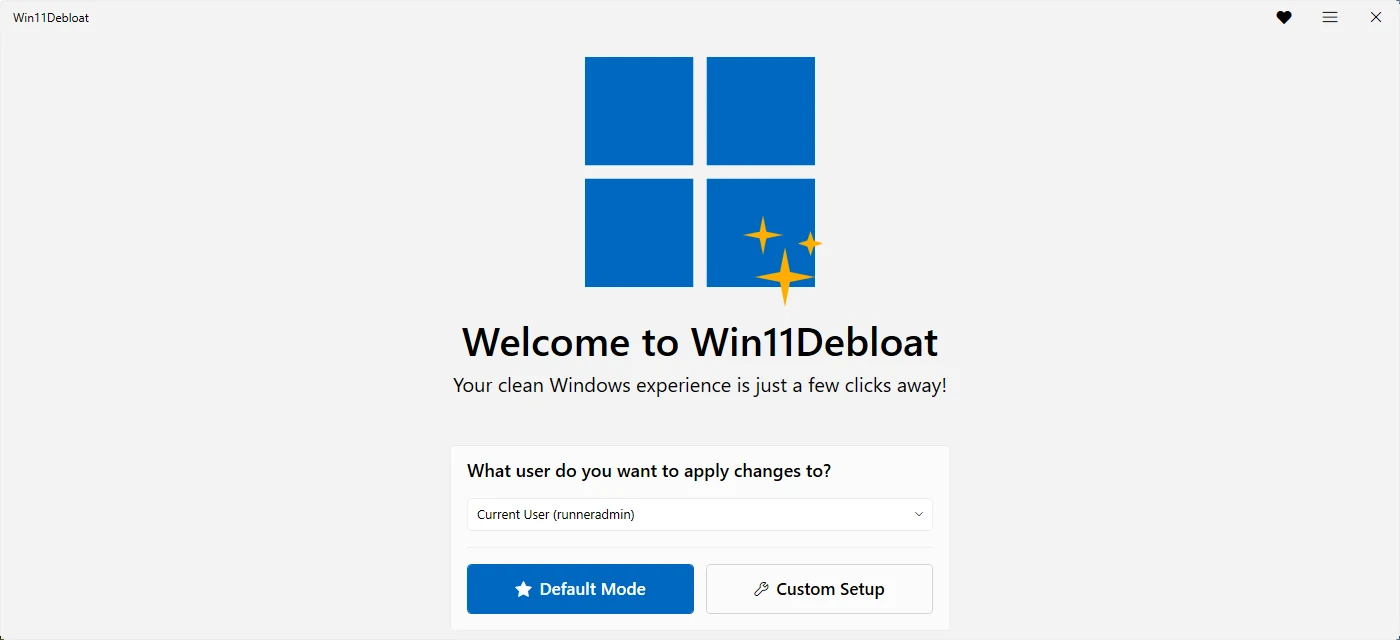
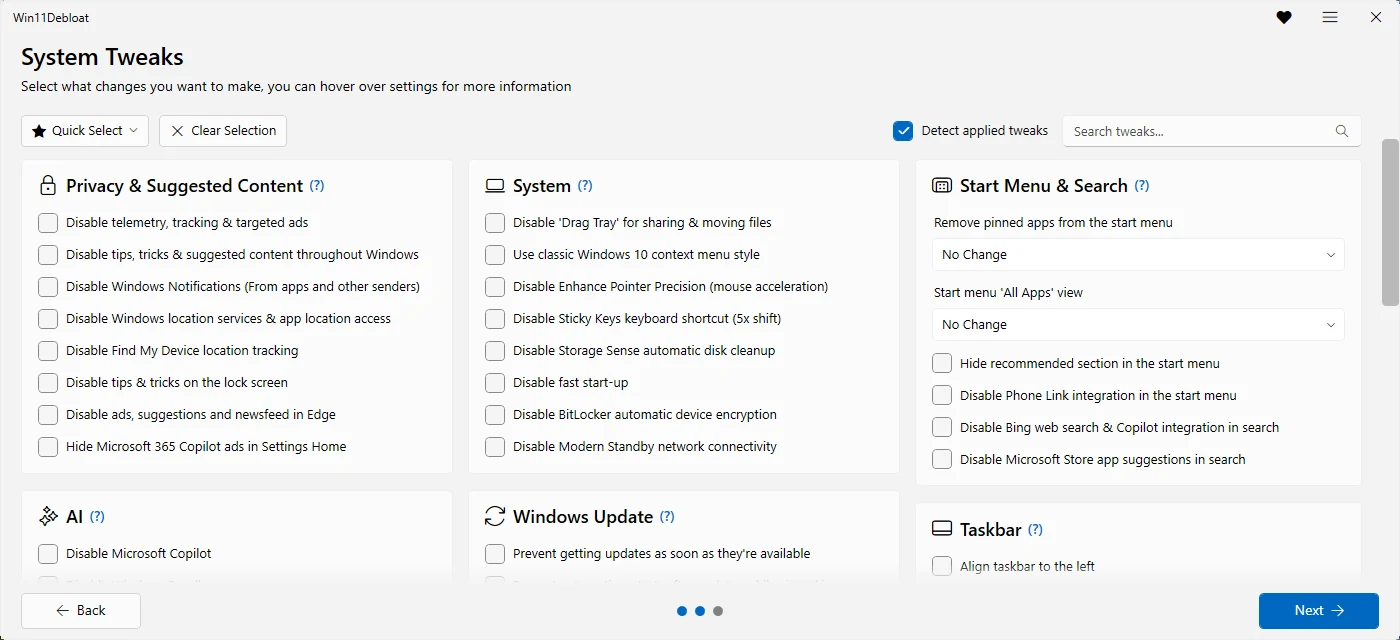
95 tweaks in 12 areas
Every tweak is optional. The numbers below come straight from Config/Features.json in release 2026.08.24. "Default" counts the tweaks Default mode turns on. "Policy" counts the tweaks that set Group Policy keys, which is what makes Windows say Some settings are managed by your organization.
What “Default mode” changes, exactly
Default mode is the recommended preset. It is one click in the wizard, or -RunDefaults on the command line.
84apps selected for removal
The list is mostly games, trials, discontinued Bing apps and promoted third-party apps. Apps like Photos, Calculator, Notepad, Paint, the Microsoft Store, Edge and OneDrive are not in it. Apps that are not installed are skipped.
16tweaks, plus a restore point
The list on the right is the complete set in 2026.08.24. The defaults leave Windows Update, Fast Startup, BitLocker and the look of your taskbar alone.
- Prevent AI service from starting automaticallyAI
- Disable Bing web search & Copilot integration in searchStart Menu & Searchpolicy
- Disable Click To Do, AI text & image analysisAIpolicy
- Disable Microsoft CopilotAIpolicy
- Disable 'Drag Tray' for sharing & moving filesSystem
- Disable ads, suggestions and newsfeed in EdgePrivacy & Suggested Contentpolicy
- Disable tips & tricks on the lock screenPrivacy & Suggested Content
- Disable Modern Standby network connectivitySystempolicy
- Disable Windows RecallAIpolicy
- Disable Microsoft Store app suggestions in searchStart Menu & Search
- Disable tips, tricks & suggested content throughout WindowsPrivacy & Suggested Content
- Disable telemetry, tracking & targeted adsPrivacy & Suggested Contentpolicy
- Disable widgets on the taskbar & lock screenTaskbar
- Hide '3D objects' folder under 'This PC'File Explorer
- Hide Chat (meet now) icon on the taskbarTaskbarpolicy
- Show file extensions for known file typesFile Explorer
The three things that actually go wrong
We read every issue on the project's tracker with ten or more comments. Most problems trace back to three causes. Each one is avoidable, and each one has a fix.
Removing an app something else needs
The Xbox identity components, the Microsoft Store, Get Help and Edge are marked "unsafe" by the project itself for a reason. Removing them can break sign-in, troubleshooters or app installs. Default mode never selects them.
Check any app before you remove itPolicy banners and greyed-out settings
27 tweaks set Group Policy keys. Windows then shows Some settings are managed by your organization and locks those switches. Nothing is wrong with your PC, and undoing the tweak removes the banner.
Why it happens, and how to clear itSearch, Start or Explorer acting up
The most-discussed issue in the project's history is Windows Search not working after a run (issue #361, 39 comments). Most cases come down to one tweak or one removed component. Each has a known fix.
Troubleshooting, symptom by symptomUpdated every couple of weeks
The project ships often. 30 releases went out between September 2025 and August 24, 2026. The launcher behind the one-liner was downloaded 3.3 million times across them. This site is rebuilt from the official repository whenever a new release lands.
Source: GitHub release asset counts via ungh.cc, 2026-10-30
Show the data
| Release | Get.ps1 downloads |
|---|---|
| '25.09.13 | 77.6k |
| '25.09.27 | 6,559 |
| '25.09.28 | 46.6k |
| '25.10.06 | 373k |
| '25.11.30 | 155k |
| '25.12.16 | 110k |
| '25.12.29 | 301k |
| '26.02.01 | 97 |
| '26.02.01 R2 | 26.8k |
| '26.02.04 | 28.9k |
| '26.02.07 | 44.1k |
| '26.02.12 | 26.6k |
| '26.02.15 | 28k |
| '26.02.18 | 10.6k |
| '26.02.19 | 124k |
| '26.03.07 | 12.3k |
| '26.03.09 | 25k |
| '26.03.15 | 102k |
| '26.04.04 R2 | 6,854 |
| '26.04.05 | 171k |
| '26.04.26 | 104k |
| '26.05.10 | 8,665 |
| '26.05.11 | 64.2k |
| '26.05.20 | 146k |
| '26.06.10 | 12.1k |
| '26.06.11 | 26.4k |
| '26.06.14 | 87k |
| '26.06.24 | 147k |
| '26.07.11 | 395k |
| '26.08.24 | 642k |
Coming in the next release
These changes are already merged on the master branch but not released yet. Our pages describe 2026.08.24, and we will update them when the next version ships.
- 75 commits on
mastersince 2026.08.24. - The interface in 13 languages (de-DE, en-US, es-ES, fr-FR, it-IT, ja-JP, ko-KR, nl-NL, pt-BR, ru-RU, tr-TR, zh-CN, zh-TW).
- 23 more removable apps, mostly OEM software: Business Center, MSICenter, OMENCommand Center, Acer Care Center S, Acer Registration, ASUSPCAssistant, Glidex, Screen Pad Master…
- New tweak:
-DisableChromeAI - Removed:
-DisableDragTray - Parameters going away:
-DisableDragTray,-DisableSearchHighlights,-DisableSearchHistory
Common questions, short answers
What is Win11Debloat?
Win11Debloat is a free, open-source PowerShell script, MIT-licensed, that removes preinstalled apps and turns off unwanted Windows features. Examples include Copilot, Recall, telemetry, ads, suggestions and Bing in search. It also changes interface defaults such as the context menu, Start menu and taskbar. It has a graphical wizard and a command line, works on Windows 11 and Windows 10, and installs nothing.
Who makes Win11Debloat? Is it made by Chris Titus?
It is developed by Raphire at github.com/Raphire/Win11Debloat, with community contributors. It is not made by Chris Titus Tech. His tool, WinUtil, is a separate project that is often confused with this one. Some other tools, such as Talon, run Win11Debloat as one of their steps. See how it compares with the alternatives.
Is Win11Debloat safe?
The official script is open source, and anyone can read every change it makes. It saves a registry backup and a restore point first. The real risks come from your choices: removing apps that other features depend on, and tweaks that lock settings with policies. Only download it from the official repository or the official one-liner. The full safety review.
Does Win11Debloat work on Windows 10?
Yes. It runs on Windows 10 and Windows 11, and the wizard and Default mode skip tweaks that need a newer build. 52 of the 95 tweaks have a minimum Windows version, such as Windows 11 22H2 or 24H2. A few Windows 10 app-removal errors are known and harmless.
Can I undo Win11Debloat?
Yes. You can run it again and untick a tweak, use the matching file in Regfiles\Undo, or restore the registry backup it saved (release 2026.05.10 and later). You can also use the system restore point. Removed apps are not part of the registry backup; reinstall them from the Microsoft Store. Step-by-step undo guide.
Is there a Win11Debloat .exe, or a winget package?
No. Win11Debloat is a PowerShell script. The official ways to run it are the one-liner, which uses debloat.raphi.re, and the release ZIP with Run.bat. As of October 30, 2026, there is no official winget, Scoop or Chocolatey package. Treat any .exe called Win11Debloat with suspicion.
Does it remove Microsoft Edge or OneDrive?
Not in Default mode. You can select both in the app list, and Edge can also be removed with -ForceRemoveEdge. The project marks Edge as "unsafe" to remove, because Windows features and some apps rely on it.
Will Win11Debloat make my PC faster?
A little, mostly in fewer background apps and less disk used by removed apps. It is not a performance tool. Its main effect is a cleaner Start menu and taskbar, no Copilot or ads, and less data sent to Microsoft. On our test PC it freed 803 MB of app files. We make no speed or RAM claims we could not measure fairly; see our test results.